How to detect AI images in Firefox
AI-generated images are hard to spot by eye, and Firefox has no built-in way to check them.
AI Detector & Blocker works in Firefox and Chrome. It checks the images, videos and articles you see, marks what looks AI-made, and shows you why.
How it works
- Step 1
Add it to your browser
Install it from the store. There's no account to create, and it starts working on the next page you open.
- Step 2
Browse as usual
It checks the images, videos and articles on each page for signs of AI, inside your browser.
- Step 3
See the verdict and why
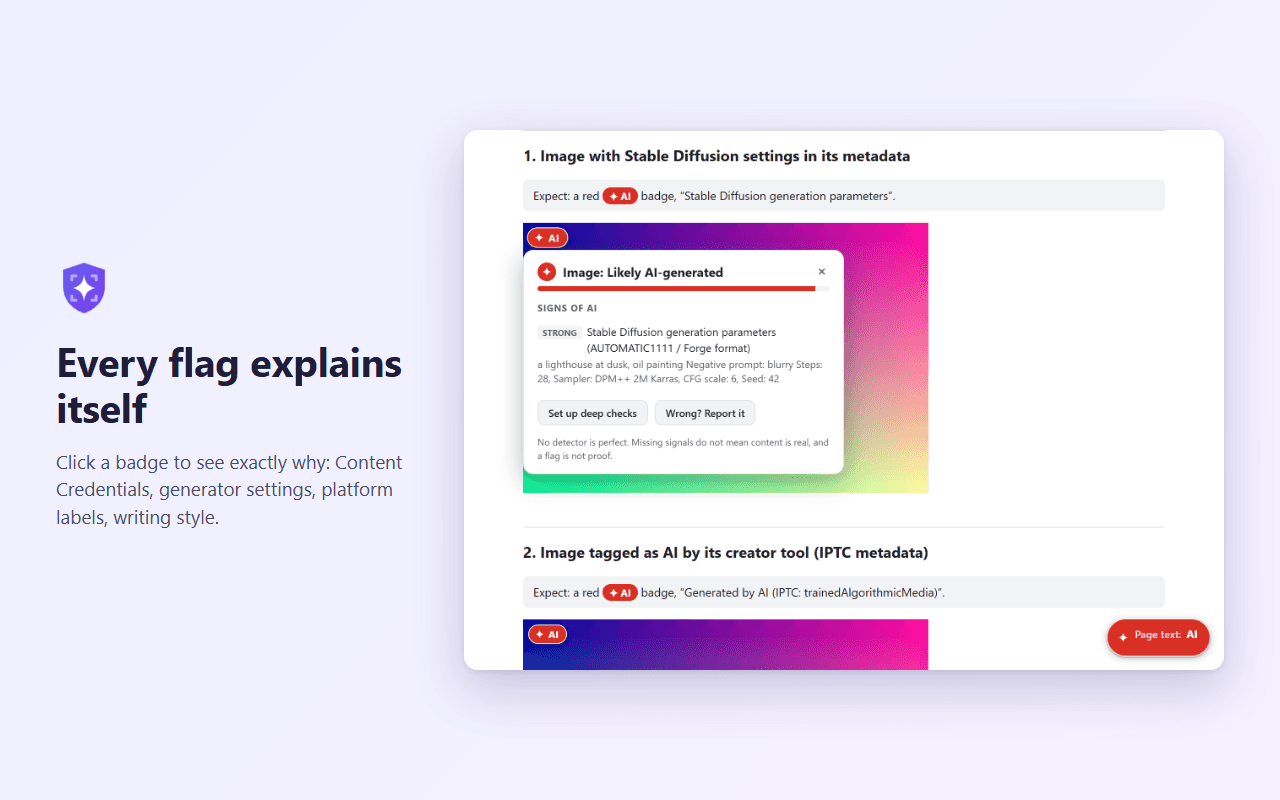
Flagged content gets a badge. Click the badge to see every signal behind it, then choose to tag, blur or hide what gets flagged.
Key features
Content Credentials
Reads Content Credentials (C2PA) and checks image signatures on your device, so forged or edited credentials are caught.
File metadata
Finds IPTC AI tags and generator settings left by tools such as Stable Diffusion and ComfyUI.
Social site labels
Picks up AI labels, hashtags, captions and reader notes on sites such as Instagram, X, YouTube, Reddit and Pinterest.
Tag, blur or hide
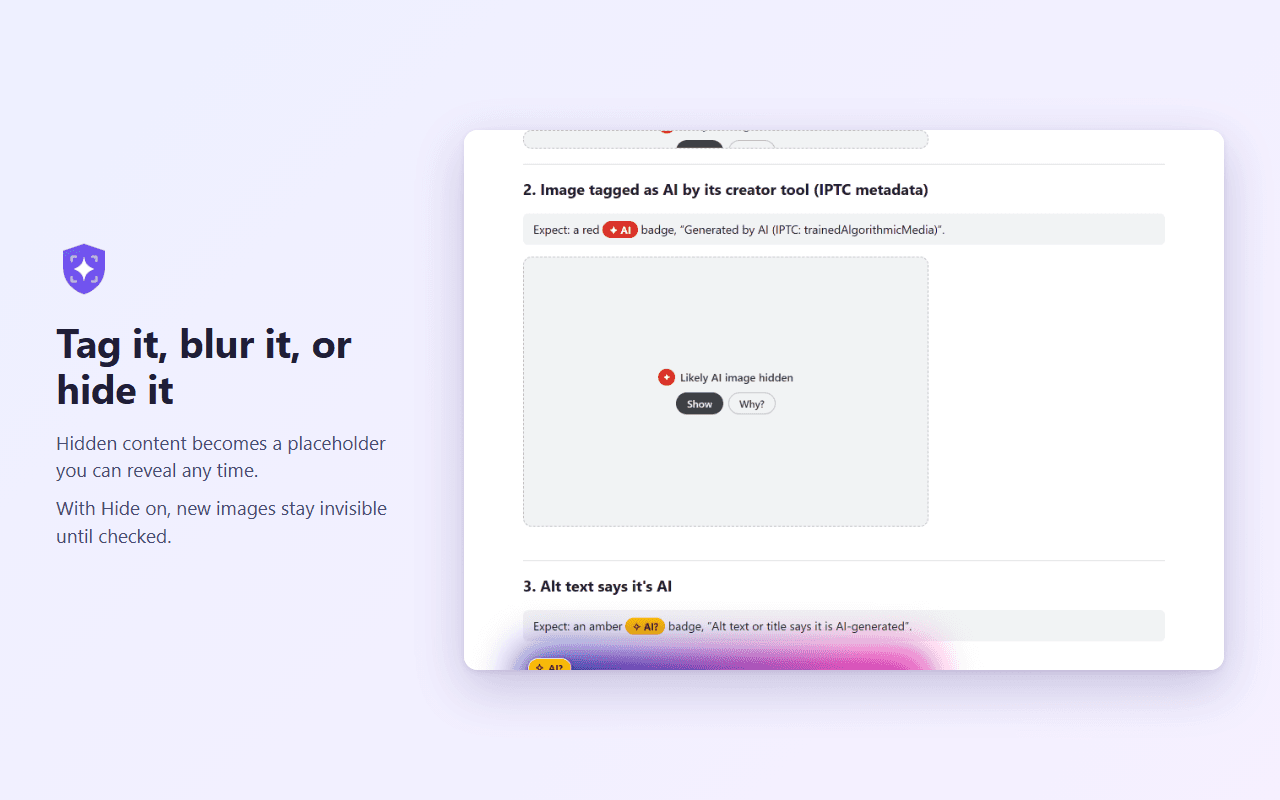
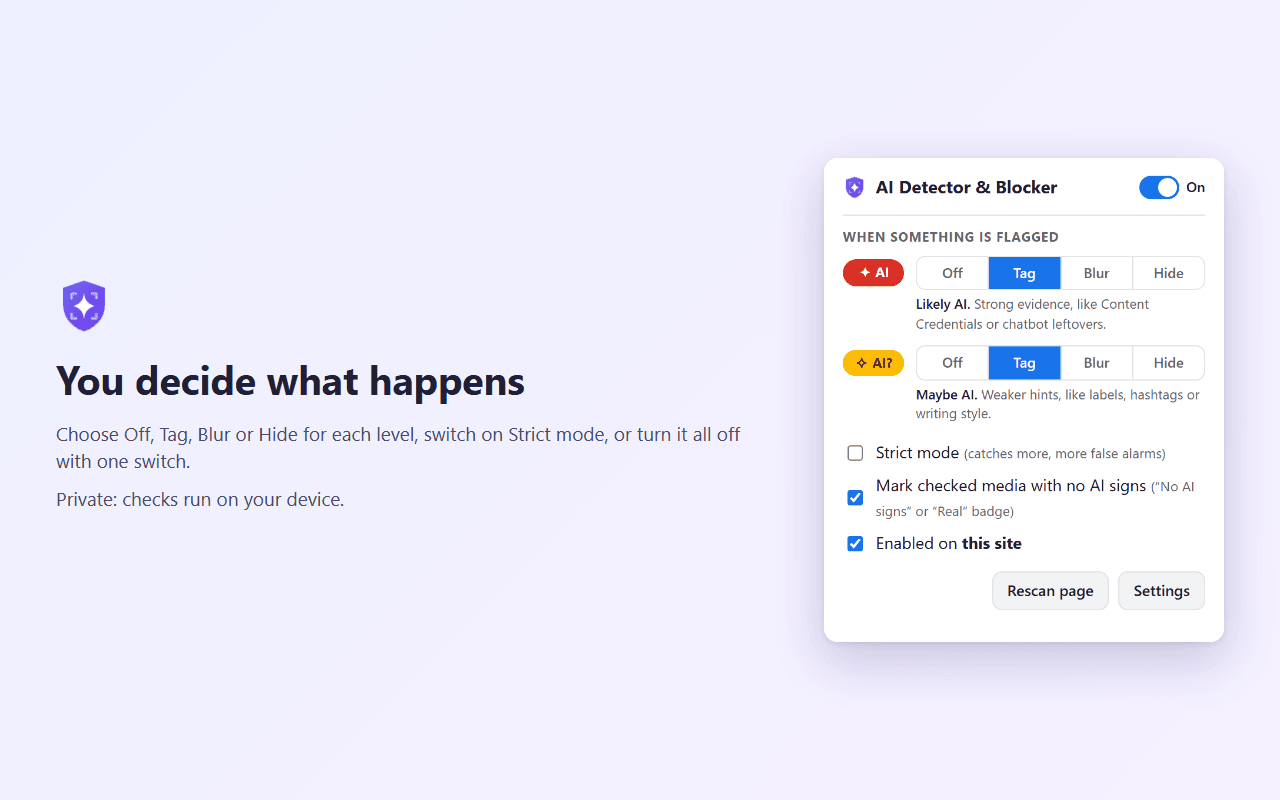
Set a separate action for strong evidence (AI) and weaker hints (AI?). With Hide on, new images stay invisible until they've been checked.
AI text checks
Spots leftover chatbot phrases and AI-style writing. An optional on-device model (about 138 MB) catches more.
Your choice of deep checks
Optionally connect Hive, Sightengine, GPTZero or Claude with your own API key for a second opinion.
Privacy & permissions
The developer collects nothing. There are no accounts, analytics or ads, and checks run on your device. Content leaves your browser only if you set up an optional deep check with your own API key, and then it goes straight to the service you chose.
- Access your data for all websites
- So it can check the images, videos and text on the pages you visit and read the metadata in media files. This happens inside your browser.
- Storage
- Keeps your settings and recent check results on your device, so the same image isn't checked twice.
- Context menus
- Adds the right-click items for checking a specific image, video, text selection or page.
- Scripting
- Only while you have Hide selected: keeps new images and videos invisible until they've been checked.
Questions
Can Firefox detect AI-generated images on its own?
No. Firefox's AI controls manage the browser's own AI features, such as its sidebar chatbot, and don't check what websites show you. To get a check on each page, you need an add-on.
How do I check if an image is AI-generated in Firefox?
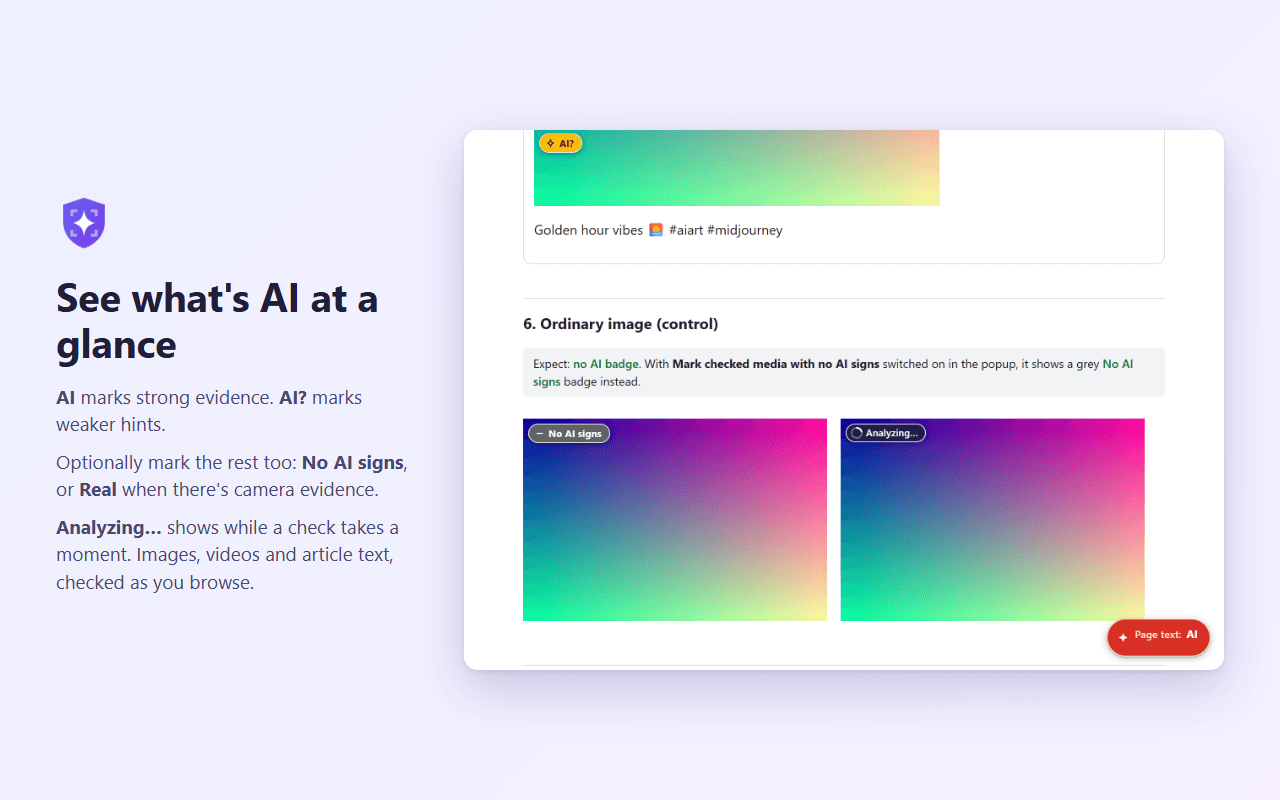
Install AI Detector & Blocker and browse normally. Images with evidence of AI get an AI or AI? badge, and clicking the badge shows the evidence. You can also right-click any image to check it.
How accurate is an AI image detector?
No tool catches everything. Most social networks strip the hidden data that proves an image is AI, so a flag is a strong hint rather than proof, and no flag doesn't mean an image is real. Every flag shows its evidence so you can judge it yourself.
Can I block or hide AI images in Firefox?
Yes. Set either level to Hide or Blur in the add-on's popup. Hidden images become a placeholder with a Show button, and you can switch the add-on off for any site.
Does the add-on send my browsing or images anywhere?
Not to the developer, ever. Checks run on your device. Content goes to an outside service only if you add your own API key for an optional deep check, and in Firefox the add-on asks for your permission before any content is shared that way.
Is it free, and does it work on Firefox for Android?
The add-on is free. Optional deep checks use your own account with those services, which may charge for it. It runs on Firefox 140 or later on desktop, Firefox 142 or later on Android, and Chrome 121 or later on desktop.
Does it work in Chrome?
Yes. Add it from the Chrome Web Store. It runs on Chrome 121 or later on desktop, with the same checks, badges and Tag, Blur and Hide settings as in Firefox.
Want to check by hand? Read how to tell if an image is AI-generated or how to hide AI images in Firefox or in Chrome.
See what's AI as you browse
Spot AI-generated images, video and text as you browse, then tag, blur or hide it. Private: checks run on your device.